


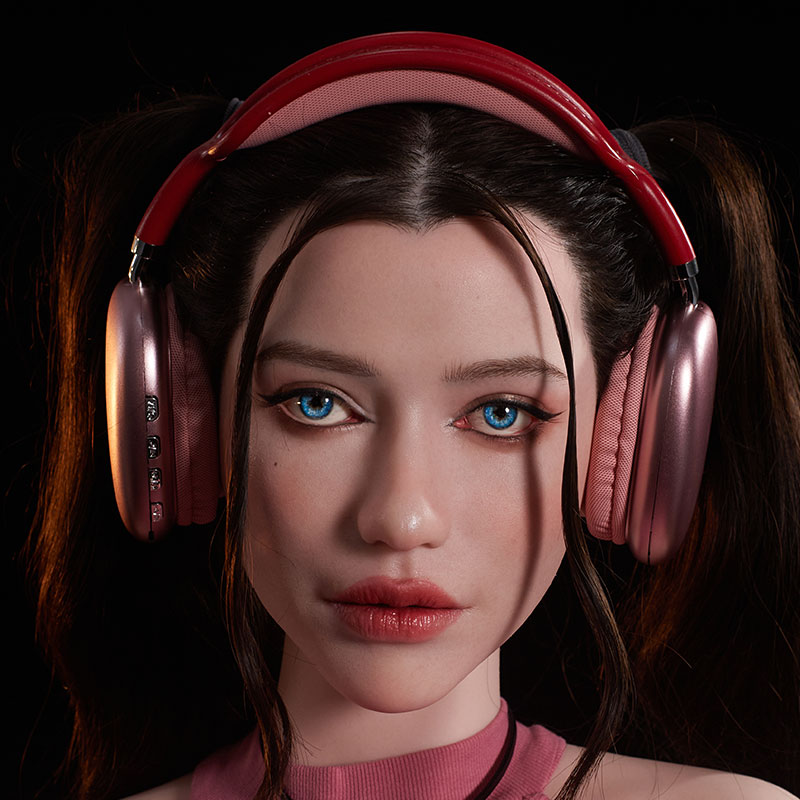


Why Doll Skin Tone Looks Different in Factory Photos vs. Product Photos
Same doll, same camera settings, different light. Here is exactly what changes between our artistic product photos and the factory photos we send you before shipping.

One doll, three photos. Left: artistic photo (camera + studio light). Middle: factory reference photo, taken by our photographer with a camera before launch. Right: the kind of phone photo you receive to confirm your order before shipping.
The short answer
The doll itself hasn't changed color. Artistic product photos are shot with a camera in a studio, with custom-colored lighting chosen for each theme. The factory photos you receive before shipping are taken with a phone under ordinary cool-white ceiling lights. The light and the device change how skin tone looks in a photo, and your screen adds one more change on top. The sections below show each one.
Watch: Artistic Photos vs. Factory Photos, Color Shift Breakdown
In under a minute, this video shows the same doll under studio light, under factory ceiling light, and photographed by a camera and by a phone.
Artistic Photos vs. Factory Photos: Same Camera Settings, Different Result
There are three kinds of photos you may see of a Climax Doll, and each one is taken differently:
Artistic photos
Shot by our photographer with a camera in a studio, on a black backdrop, with light color set to match each theme.
Shows the character and mood of the doll.
Factory reference photos
Before a product launches, our photographer shoots the finished doll with a camera in the factory, under ordinary ceiling lights.
Lets you preview what factory photos of that doll look like.
Factory confirmation photos
After your order is produced, we photograph it in the factory with a phone, under the same ceiling lights, and send the photos to you.
Lets you confirm your exact order before shipping.
For the first two, we used the same camera and the same settings: 1/60s, f/5.6, ISO 800, white balance 5500K. The only thing that changed was the light. The third was shot on a phone in auto mode.
| Artistic photo | Factory reference photo | Factory confirmation photo | |
|---|---|---|---|
| Device | Camera | Camera | Phone |
| Settings | 1/60s · f/5.6 · ISO 800 · 5500K | 1/60s · f/5.6 · ISO 800 · 5500K | Auto |
| Lighting | Studio light, 40% power, 6500K | Ceiling lights | Ceiling lights |
| When | Before product launch | Before product launch | After production, before shipping |
| Where you see it | Product page | Product page | Sent to you for confirmation |
| Background | Black backdrop | White branded wall | White branded wall |
| Result | Deep, saturated green, strong contrast | Lighter, cooler, slightly cyan | Warmer, brighter, more saturated |
Takeaway: with identical camera settings, changing only the light, or only the device, gives three noticeably different skin colors from one doll.
See a real example. The doll in this test is Kaela, our goblin girl mini doll. Open her product page to compare the artistic photos and the factory reference photos for yourself, or browse factory photos for every series. Love her look? See all our goblin sex dolls.
View Kaela's Photos →Studio Lighting and Color Temperature Change Skin Tone
Every light has a color, measured as color temperature in Kelvin (K). Low values like 2800K give warm, orange-yellow light, similar to a candle or bedside lamp. High values like 6500K give cool, bluish-white light, similar to an overcast sky.
For artistic photos, each creative photoshoot uses a custom light color to match the theme: warm and golden for a fantasy dungeon, cool and crisp for a modern set. Drag the slider to see the same doll as we turn the studio light from 6500K to 2800K. Nothing else changes.


Drag to compare. Same doll, same camera, only the light color changed.
Every skin tone shifts, not only fantasy colors
We ran the same test on four skin tones side by side (labelled in the video as Cinnamon, Black, Yellow and Nature). Under warm light, every one of them turns noticeably more orange. A fair skin tone can read as tan, and a tan skin tone can read as bronze. To compare every shade we offer, see our sex doll skin tone guide.


Drag to compare. Skin tone color test, four dolls under one light.
Where the Photo Is Taken: Photo Studio vs. Factory Floor
Artistic photos come from a controlled photo studio with softboxes, dark backdrops and adjustable lights. Factory photos are practical: they are snapped under regular cool-white ceiling lights, without any studio setup, so you can see your finished doll quickly before it ships.


Cool-white ceiling light is why factory photos often look slightly bluer, paler or cyan than product photos. A white background also makes the camera expose differently from a black one, so skin can look lighter and less contrasted.
Camera vs. Phone: Different Devices, Different Colors
Even in the same room, a camera and a phone don't see color the same way. A camera with fixed settings records the light fairly literally. A phone in auto mode adjusts white balance, brightness, contrast and saturation on its own, and each phone brand tunes this differently. In our test, the phone made the same doll look warmer and more saturated than the camera did.

Your Screen Changes the Color Too
The last step happens on your side. Phones, laptops and monitors are calibrated differently, and settings like night mode, blue-light filters, True Tone and auto-brightness shift colors further. The same factory photo can look warmer on your phone and cooler on your computer.
Night mode
Adds a strong yellow-orange tint that warms every skin tone.
Low brightness
Makes skin look darker and hides subtle blush and details.
Uncalibrated monitor
Many screens lean blue or oversaturated straight out of the box.
So Which Photo Shows the Doll's Real Color?
Artistic photos show a mood. They are creative work, lit to fit a theme, and are meant to show the character and style of a doll, not to serve as a color reference.
Factory reference photos are your preview. Taken with a camera under plain factory ceiling lights before launch, they show what factory photos of that doll look like, so the confirmation photos you receive later won't come as a surprise. They lean slightly cool because of the ceiling lights. You can browse real factory photos by series.
Factory confirmation photos show your exact order. Once production is complete, we photograph every doll in our factory with a phone and send the photos to you for confirmation before shipping. They are unretouched, but the phone's automatic settings can make colors look a little warmer and more saturated than the camera-shot reference photos.
At home, the doll will look different again. Under warm bedroom or living-room lighting, expect the skin to look a little warmer than in the factory photos. In daylight by a window, it will look closer to neutral.
How to check skin tone in your factory photos
- Turn off night mode and blue-light filters and set your screen to full brightness before judging color.
- Compare with something white in the photo, like the wall. If the white looks bluish, the whole photo is leaning cool, and so is the skin.
- Compare with the factory reference photos on the product page, not with the artistic shots. A doll lit for a golden fantasy scene will never match one under office lights.
- Look at details, not only hue: makeup, blush, nails and body painting are the best proof that the finish matches your order.
- Not satisfied? Tell us before shipping. When needed, we can take additional photos or shoot a video of the doll so you can see the color for yourself.
FAQ: Doll Skin Color in Photos
Why does my doll look different in the factory photos than on the product page?
Artistic product photos are shot with a camera in a studio, with lights whose color is tuned to the theme of each photoshoot. The factory confirmation photos you receive before shipping are taken with a phone under ordinary cool-white ceiling lights, with no studio setup. Different light and different devices make the same skin tone look different in photos. The doll itself has not changed.
Which photo shows the real skin color of my doll?
No photo shows color perfectly. The factory confirmation photos you receive before shipping are unretouched phone photos of your exact order. For a neutral reference, compare them with the factory reference photos on the product page, which our photographer takes with a camera under the same factory ceiling lights before a product launches. At home, under warm indoor lighting, the doll will look a little warmer than in either factory photo.
What are the factory reference photos on the product page?
Before a product launches, our photographer takes camera photos of the finished doll in our factory under ordinary ceiling lights, with no studio setup. We add them to the product page so you can see in advance what factory photos of that doll look like, next to the artistic photos.
Are the product photos edited or color graded?
No. Every photo and video on our product pages is real photography: no AI, no composite images and no digital body modification. The color differences come from lighting, not editing. Artistic photos are shot in our studio with a custom light color for each theme, so they show a mood rather than a color reference. Our video shows that even with identical camera settings, changing only the light color makes the same doll look noticeably warmer or cooler. Learn more in About Our Images & Visual Content.
Why do my phone photos of the doll look different from the camera photos?
Phones adjust white balance, contrast and saturation automatically, usually making colors warmer and brighter. A camera with fixed settings records the light more literally. Two devices photographing the same doll at the same moment can produce visibly different skin tones.
Can my screen change how the doll's skin tone looks?
Yes. Phones, laptops and monitors are calibrated differently, and features such as night mode, blue-light filters and auto-brightness shift colors further. The same photo can look warmer on one screen and cooler on another.
What if I'm not satisfied with my factory photos?
Once production is complete, we photograph every doll in our factory and send the factory photos to you for confirmation. If you are not satisfied with what you see, just let us know: when needed, we can take additional photos or shoot a video of the doll so you can check the skin tone with confidence.
Related: How to Choose a Sex Doll Skin Tone: Every Color Option Explained
Questions About Your Factory Photos?
Not happy with how your factory photos look? Let us know before the doll ships. When needed, we can take additional photos or shoot a video for you.
Email us at service@climax-doll.com


